


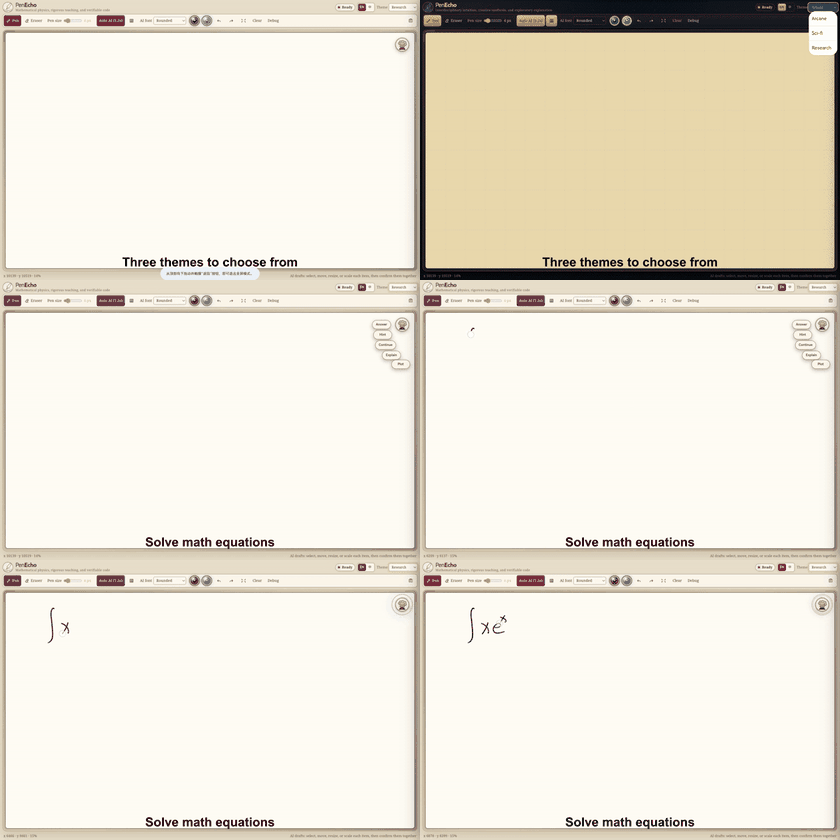
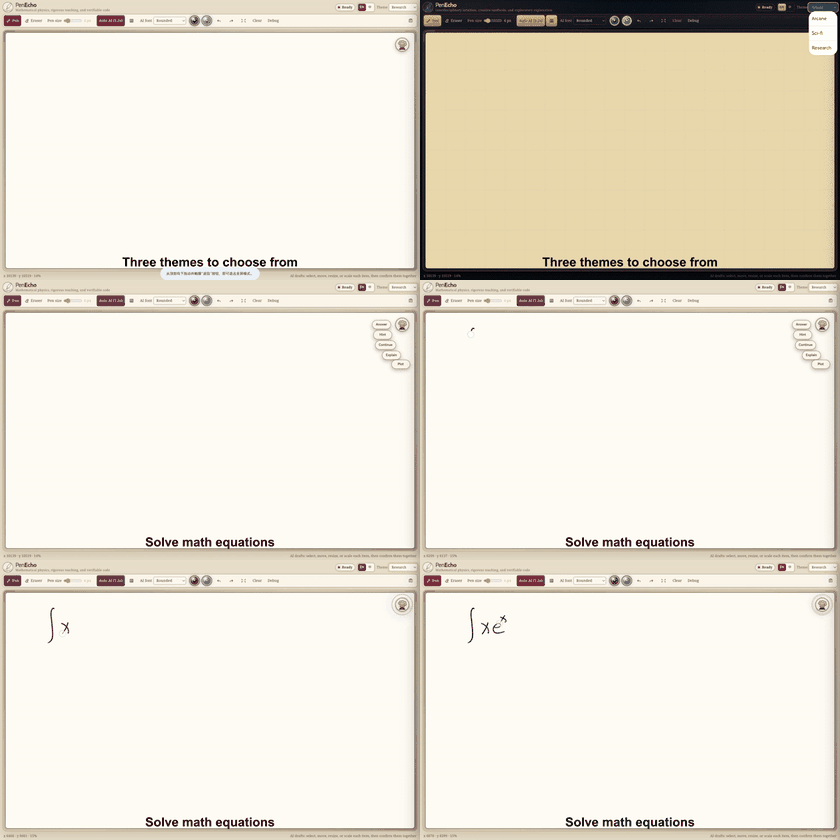
PenEcho is an open-source application that takes interaction with artificial intelligence beyond the classic text chat. The project offers a shared digital canvas where the user can write by hand, draw diagrams, annotate mathematical equations, and receive AI responses placed directly next to their marks. The developers’ stated goal is simple: put a question, an equation, a diagram, or a rough idea anywhere in the workspace and let PenEcho interpret the strokes and their spatial relationships, answering right there beside them.
A workspace with no practical limits
The heart of the system is a logical surface of 20,000 by 20,000 pixels, manageable with a stylus or mouse. This size allows you to organize multiple reasoning flows in parallel, without having to clean up the space or switch from one document to another. In addition, the user can select portions of the canvas to copy them or to apply automatic typographic composition, keeping order even in very long work sessions.
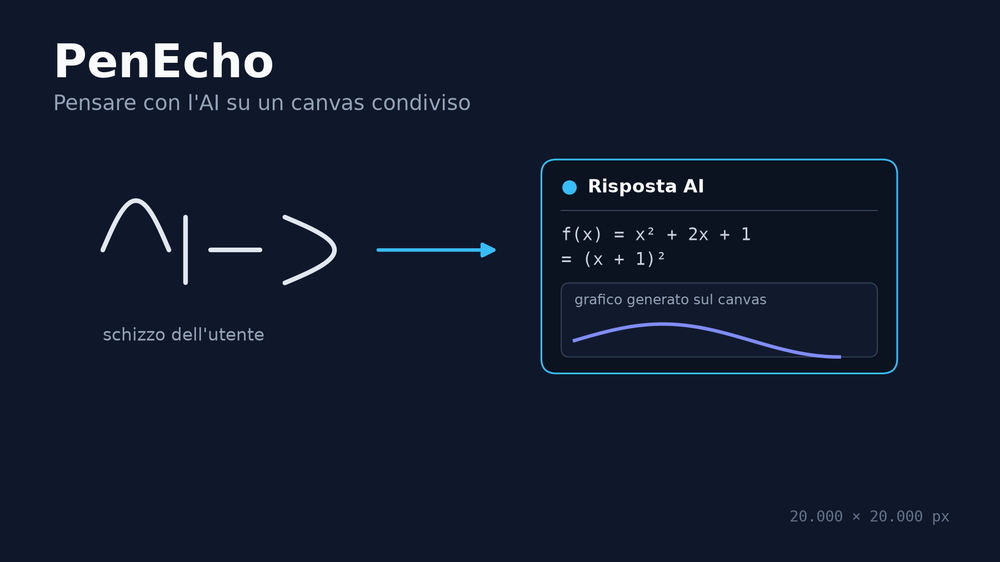
PenEcho places the AI response next to the marks drawn by the user on the canvas.
Editable drafts, not final answers
Unlike a traditional conversational interface, the AI-generated responses in PenEcho are not fixed blocks of text. They appear as draggable and resizable drafts that the user can accept, correct, or discard before integrating them into their work. As a result, the canvas remains a space for shared processing between person and model, not just a log of questions and answers.
Configurable AI engines
PenEcho is not tied to a single artificial intelligence provider. The backend, based on Node.js, supports several executors: Claude CLI, Codex CLI, and the direct APIs of OpenAI and Anthropic. The user can also adjust the level of reasoning required from the model, thus balancing response speed and processing quality depending on the task at hand.
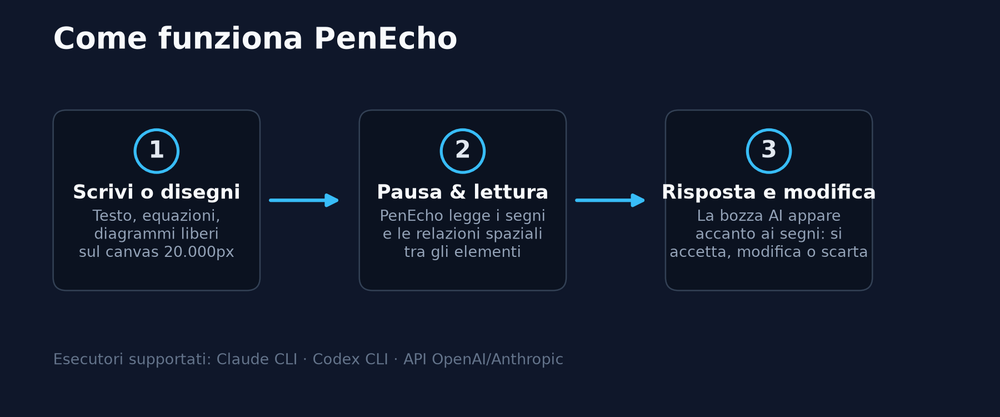
The three steps of PenEcho’s workflow, from sketch to editable AI draft.
Themes, saving, and license
The application offers multiple visual themes for the workspace, including variants with a more technical edge and others more oriented toward research. Each session is saved locally in the browser via snapshots, while confirmed work can be exported as a cropped PNG image. The project is distributed under the GNU AGPL v3.0 license, with the possibility of obtaining a separate commercial license for those who want to integrate it into proprietary applications.
Overall, PenEcho proposes a hybrid interaction model between handwriting, technical drawing, and generative artificial intelligence, designed for those who regularly work with diagrams, calculations, and spatial annotations.
Project repository on GitHub: penecho/penecho

I found that my specific setup struggles with the calculation integration. The latency sometimes makes the real-time feedback feel delayed. BiciTecnica3