


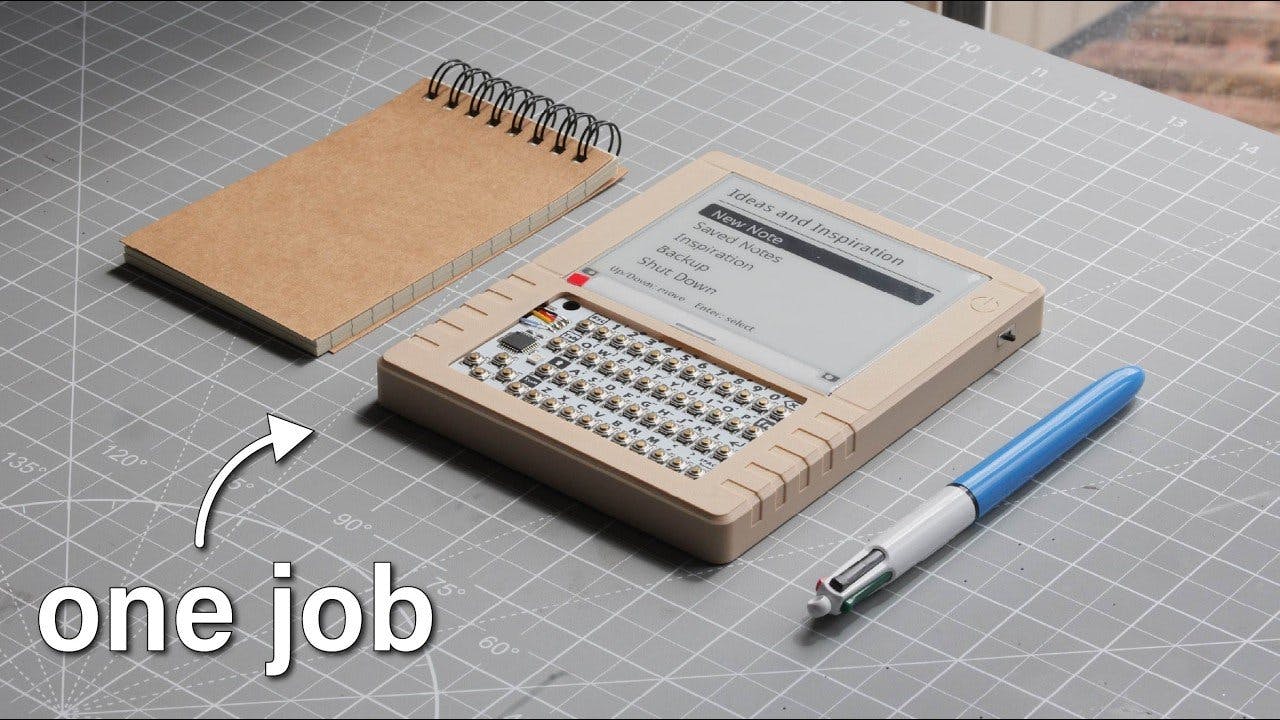
The ePaper smart journal is an electronic notebook designed for anyone who wants to capture ideas without distractions. The project page describes a portable device that combines the simplicity of a notepad with the power of a computer. It was built by Mirza Makes, and the result is completely open source.
At the heart of the system is a Raspberry Pi Zero 2 W, a compact board that is still powerful enough to handle the interface and writing tasks. The display is a 4.2-inch Waveshare ePaper panel, which offers excellent outdoor visibility and very low power consumption. The keyboard is an M5Stack CardKB, which communicates with the Pi over I2C and requires only a few connections.
How the ePaper smart journal works
Power comes from a 3.7V LiPo battery, with an Adafruit PowerBoost 1000 module providing a stable 5V to the Raspberry Pi and handling charging. The main menu lets you create a new note, browse saved entries, generate writing prompts, back up files, or shut down the device safely.
When you create a new note, the system automatically adds the date and time. While writing, pressing Escape lets you save, continue editing, or delete the note. The backup option starts a local web server: another device on the same Wi-Fi network can open the interface and download text or Markdown files.
- Raspberry Pi Zero 2 W as the main processor
- 4.2-inch Waveshare ePaper display for readability and low power
- M5Stack CardKB keyboard with I2C connection
- 3.7V LiPo battery with Adafruit PowerBoost 1000 for stable 5V
- Backup over the local network with built-in web server
Why choose a dedicated ePaper journal
The ePaper smart journal offers a real alternative to smartphones and paper notebooks. Smartphones distract with notifications and apps, while a paper notebook doesn’t allow backups or searches. This device combines the simplicity of a notebook with the convenience of a computer, and all the software is open source.
Outdoor visibility is excellent thanks to the ePaper display, which doesn’t reflect light like an LCD. Power consumption is minimal, so the battery lasts a long time. Plus, the physical keyboard provides a tactile feel that touchscreens lack, making writing more natural and enjoyable.
Components and alternatives for your project
If you want to build a similar smart journal, you can start with the Raspberry Pi Zero 2 W, but a Raspberry Pi 5 with 2 GB of RAM or the 1 GB version can also work for more complex projects. For the display, besides the ePaper, you could consider an OLED Display 128×64 or an OLED Display SPI 256×64, though ePaper remains the best choice for extended reading.
The original project uses specific components, but you can adapt it to your needs. The CardKB keyboard is compact and easy to connect, while the PowerBoost 1000 ensures stable power. Finally, the Python code is open source, so you can modify it to add features like search or cloud sync.
Source: https://mirzamakes.com/epaper-journal/

The battery life on the Pi Zero 2 W is a real concern for long writing sessions. My personal experience shows it depletes faster than I anticipated.